 New in 1.6 — CD Import
Professional Audio Conversion
Convert, tag, and analyze your audio library with studio-grade tools. Now with CD import. Built natively for macOS.
New in 1.6 — CD Import
Convert, tag, and analyze your audio library with studio-grade tools. Now with CD import. Built natively for macOS.
Convert between all major audio formats with professional-grade encoders and full quality preservation.
LAME encoder with VBR and CBR modes
Apple's native high-quality codec
Lossless compression with libFLAC
Apple Lossless Audio Codec
Uncompressed PCM audio
Professional studio format
Everything you need to manage and convert your audio library with precision and speed.
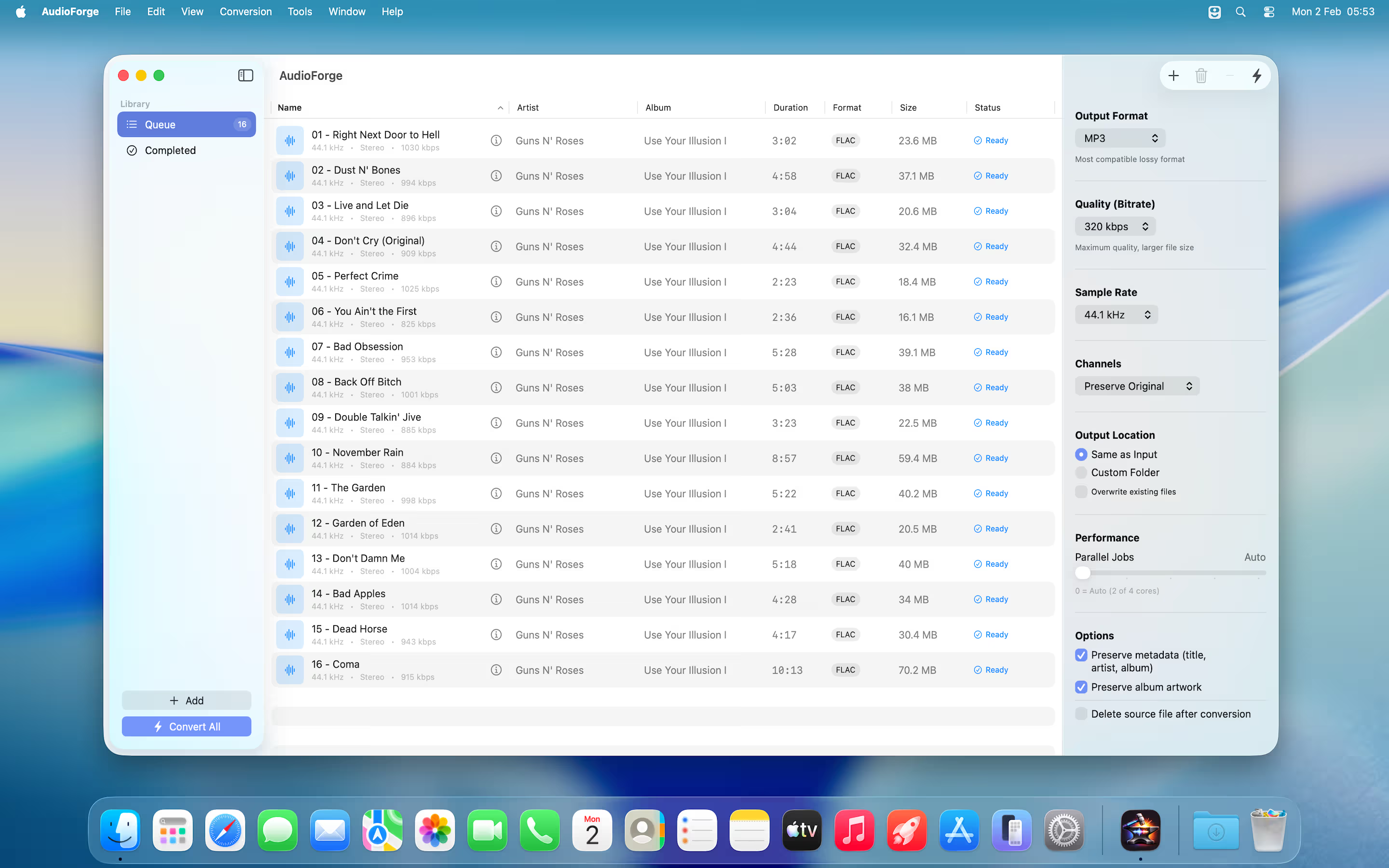
Convert entire folders at once. Process hundreds of files in minutes with parallel multi-core encoding.
Fine-tune bitrate, sample rate, and channels. Choose from presets or configure custom encoding settings.
Extract audio tracks from MP4, MOV, and M4V video files. Perfect for pulling music from recordings.
Built with SwiftUI for a beautiful, responsive interface. Supports drag and drop, keyboard shortcuts, and Sonoma.
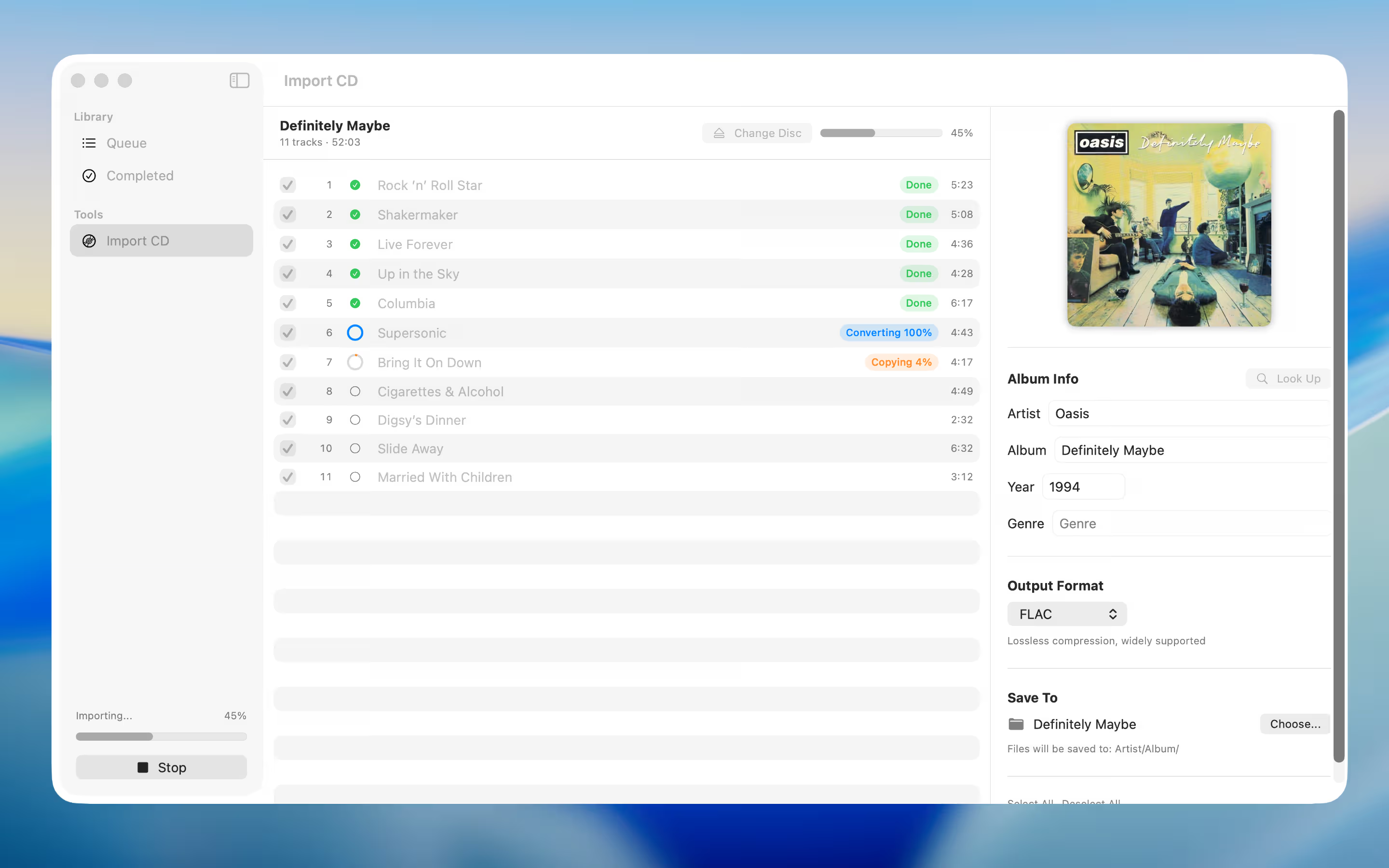
Rip your audio CDs straight to any format. Audio Forge reads the disc, looks up metadata, and converts — all in one seamless flow.
Select your audio CD, choose a format, and hit Import. Tracks are read from disc and converted in a fast pipeline — no intermediate steps needed.
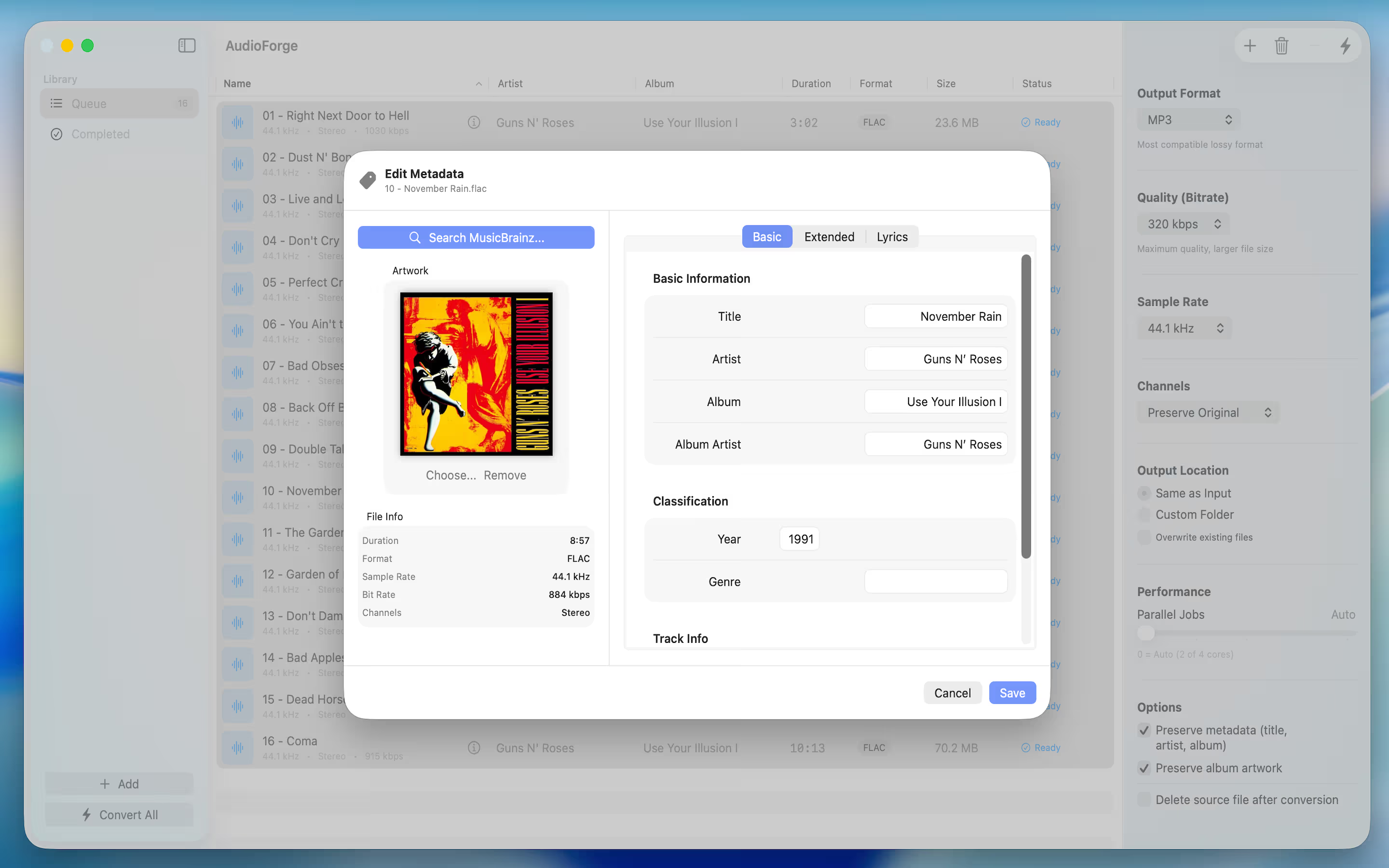
Automatically search for your album on MusicBrainz. Track titles, artist, album art, and year are filled in before the import even starts.
Tracks are read from the CD and converted in parallel — the moment a track finishes copying, conversion begins immediately.
Rip to FLAC, MP3, AAC, ALAC, WAV, or AIFF. Full metadata and album artwork are embedded in every file.
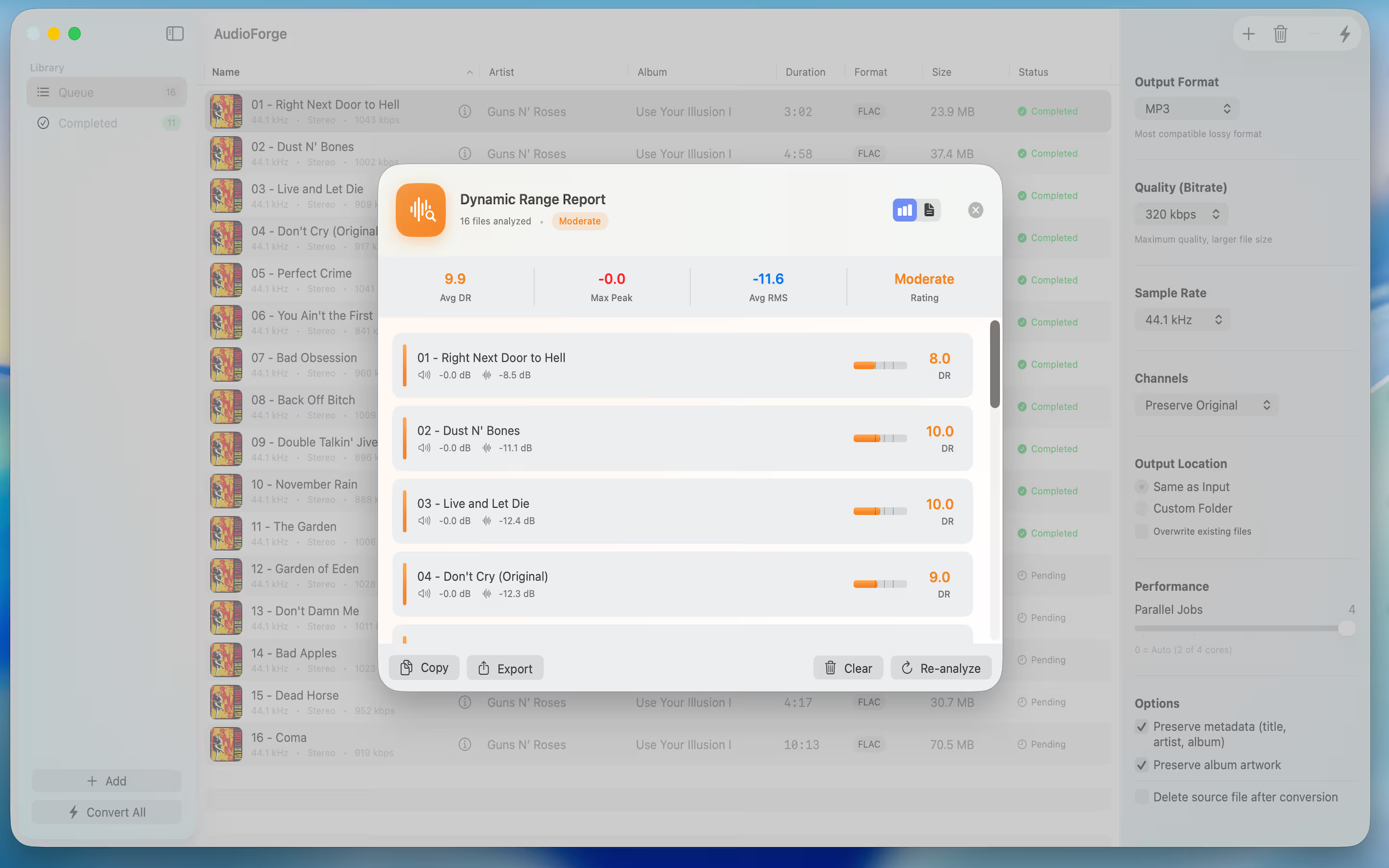
Professional audio analysis with industry-standard DR algorithm. Compatible with foobar2000 Dynamic Range Meter. Every file in your queue is measured for Peak, RMS, Dynamic Range, and LUFS — giving you a complete picture of your audio's loudness and quality.
The highest amplitude reached in the audio signal. 0.0 dB means the signal hits maximum digital level — anything above risks clipping and distortion.
Root Mean Square — the average power of the signal, representing perceived overall loudness. Lower values indicate quieter, more dynamic audio.
Dynamic Range — the difference between the loudest and quietest parts of the track. Higher values (DR10+) indicate natural, uncompressed audio; lower values suggest heavy mastering compression.
Loudness Units Full Scale — the industry-standard loudness measurement used by streaming platforms such as Spotify (-14 LUFS) and Apple Music (-16 LUFS) for volume normalization.
Generate comprehensive per-track and album reports for your entire collection, exportable in foobar2000-compatible text format.
Explore Audio Forge's clean, intuitive interface designed for professionals.
Drag and drop your files and start converting
Rip audio CDs with MusicBrainz metadata lookup
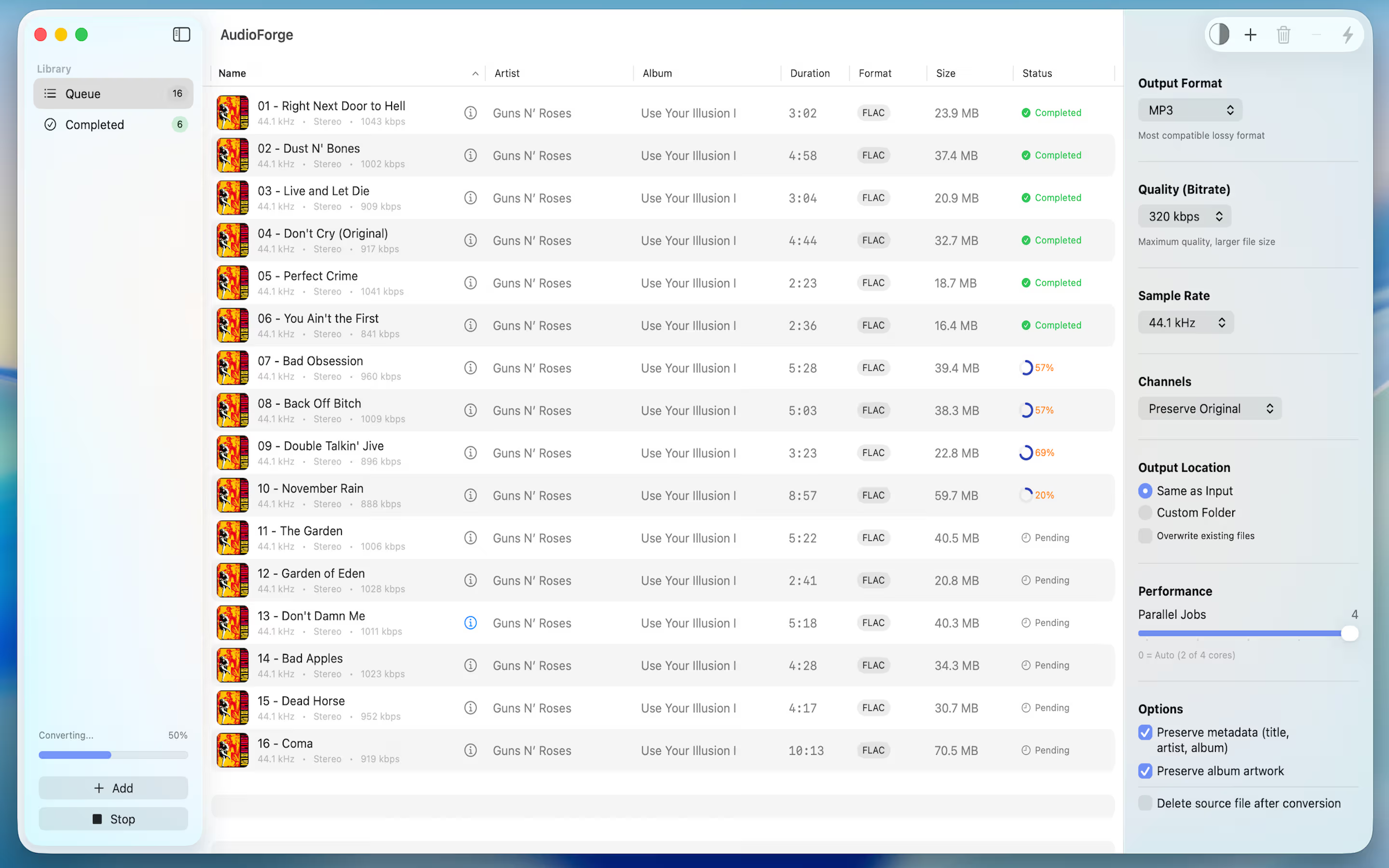
Convert entire folders at once
Full tag editing with MusicBrainz lookup
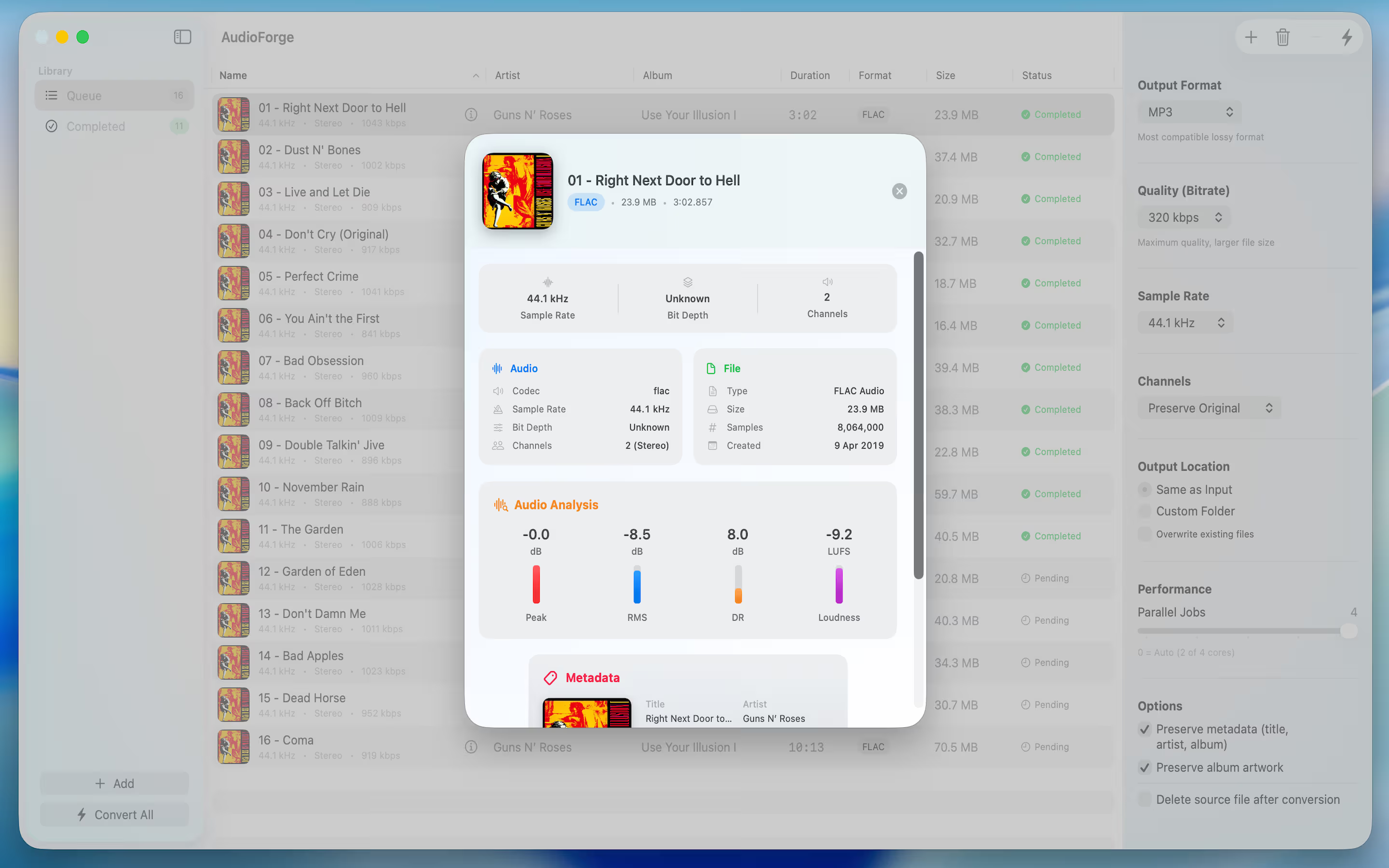
View complete audio specifications
Beautiful dynamic range visualizations
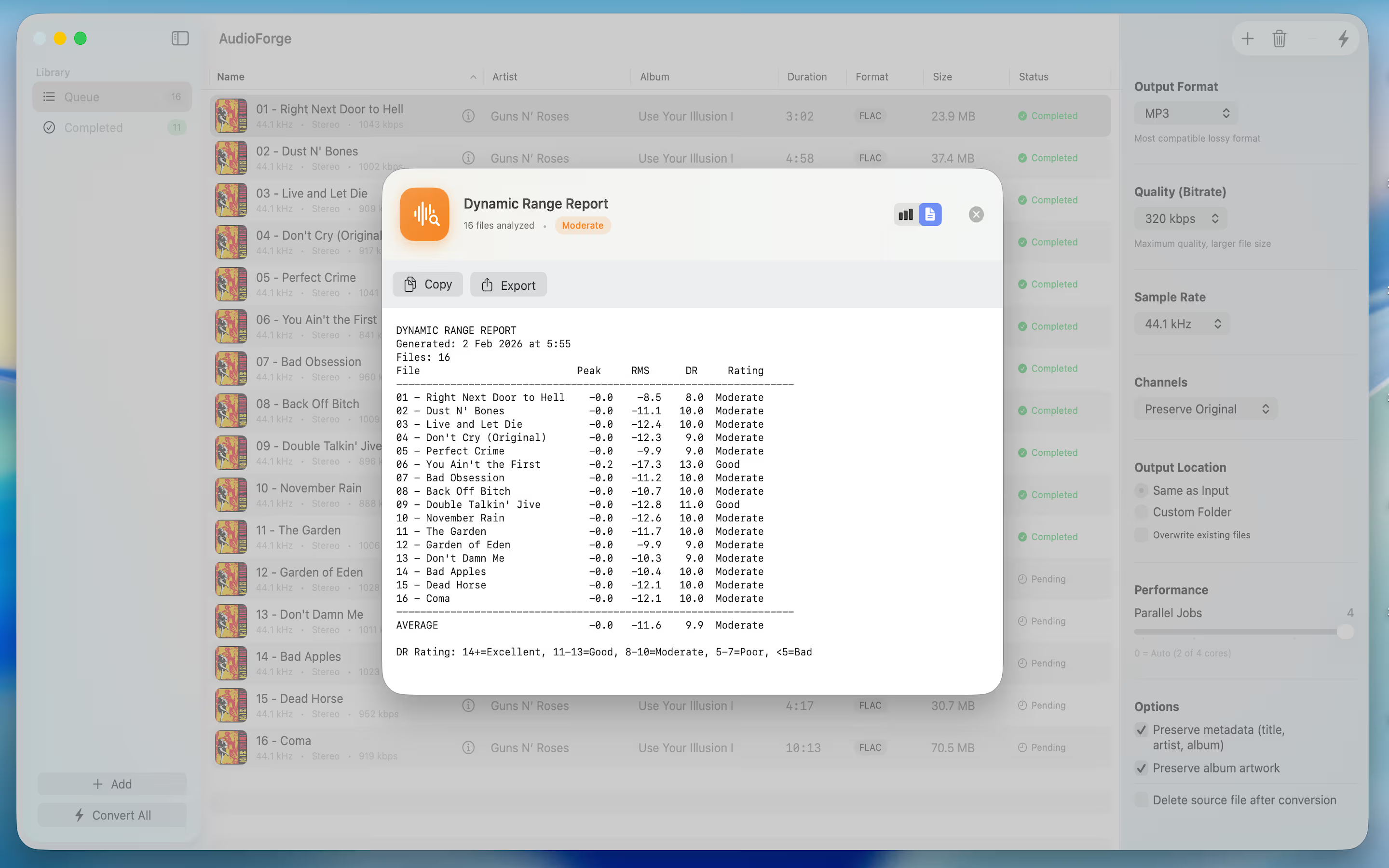
foobar2000-compatible text format
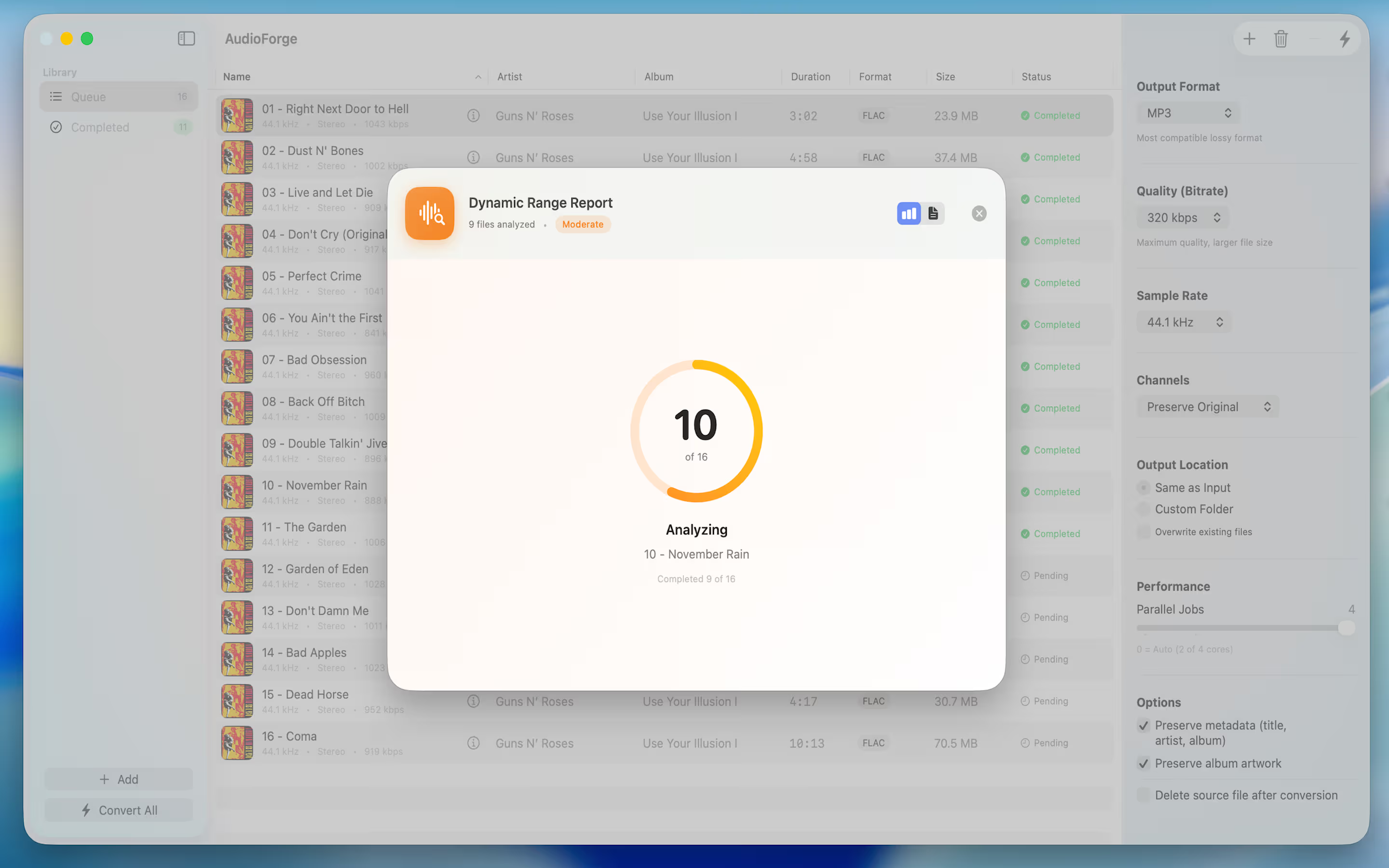
Real-time progress tracking
No cloud uploads. No data collection. No tracking. Your files never leave your computer.
All audio conversion and analysis happens locally on your Mac. No internet connection required.
We don't collect analytics, usage data, or file information. Your privacy is absolute.
Built with macOS security best practices. Runs in a sandboxed environment with hardened runtime.
Download Audio Forge for free on the Mac App Store and start converting today.

Requires macOS 14.0 or later